WordPress 7.1 Guide: Features & Upgrade Checklist
WordPress 7.1 features, compatibility risks, responsive blocks, iframe editor changes, and a safe upgrade checklist for developers and site owners.

Practical WordPress advice, clear explanations, and the details that help you make better decisions.
94 guides
WordPress 7.1 features, compatibility risks, responsive blocks, iframe editor changes, and a safe upgrade checklist for developers and site owners.
No WordPress recovery email? Fix the critical error using File Manager, plugin checks, debug logs, PHP settings, and database troubleshooting.
Your WordPress site may be exposed to wp2shell. Check affected versions, install the security update, scan for compromise, and recover safely.
Stop iframe editor bugs before they hit client sites. Learn how to migrate WordPress blocks from API v2 to v3 safely with practical fixes.
Stop writing media queries. Learn how WordPress 7.1 lets you adjust block typography, spacing, colors, and layouts for every screen size.
Replace WordPress’s default device widths with breakpoints built for your theme. Learn the safe theme.json setup, rules, testing, and common mistakes.
Use this WordPress plugin compatibility testing checklist to evaluate versions, conflicts, APIs, performance, accessibility, cron, releases, and rollback.
Learn how to build and maintain a WordPress child theme safely, from the Template header and CSS loading to block themes, testing, updates, and rollback.
Choose and test accessible WordPress themes with a practical checklist for WCAG, keyboard navigation, contrast, forms, images, and screen readers.
Improve WordPress theme performance with a practical Core Web Vitals checklist covering LCP, INP, CLS, images, fonts, plugins, and testing.
Test free WordPress block themes before switching with this practical guide to theme.json, Site Editor templates, accessibility, plugins, and SEO.
Choose a free WordPress blog theme with this practical guide to block vs classic themes, accessibility, performance, portability, and testing.
A practical WordPress compatibility-testing checklist for staging, backups, plugins, themes, editor workflows, REST APIs, media, and rollback.
WordPress admin keeps redirecting to login? Fix the wp-admin redirect loop by checking cookies, site URLs, HTTPS, plugins, cache, and server rules.
Learn what WooCommerce database data is safe to clean, what to avoid, and how to use safe SQL, WP-CLI, backups, staging, and search-replace tools.
Learn which wp-config.php constants can improve WooCommerce performance, memory handling, caching, cron jobs, debugging, and database hygiene.
Learn how to safely update WooCommerce using staging, backups, compatibility checks, checkout testing, HPOS review, and rollback planning.
Speed up WooCommerce with better hosting, caching rules, object cache, HPOS, database cleanup, image optimization, and checkout-safe testing.
Learn how to build a headless WordPress site with Next.js using REST API, WPGraphQL, App Router, caching, previews, SEO, and deployment.
Learn how WordPress Full Site Editing works with Gutenberg, block themes, templates, template parts, global styles, patterns, and safe workflows.
Compare WordPress, Webflow, and Squarespace in 2026 for SEO, design, cost, ecommerce, customization, maintenance, and long-term growth.
Compare WooCommerce vs Shopify for cost, ownership, SEO, payments, design, scalability, maintenance, and long-term ecommerce growth.
Generate a safer WordPress wp-config.php file with FyrePress: database settings, salts, debug rules, memory limits, SSL, cron, and updates.
Check WordPress security headers before launch. Learn what to fix for CSP, HSTS, X-Frame-Options, Referrer-Policy, Permissions-Policy, and MIME safety.
Use this WordPress PHP memory limit calculator guide to choose safe values for WP_MEMORY_LIMIT, WP_MAX_MEMORY_LIMIT, php.ini, and WooCommerce.
Learn how to safely edit wp-config.php with backups, syntax checks, debug rules, salts, file permissions, rollback steps, and recovery fixes.
Learn when to use WordPress multisite, when to avoid it, and how to configure subdomains, subdirectories, DNS, wp-config.php, plugins, themes, and backups.
Use this monthly, quarterly, and annual WordPress maintenance checklist to manage updates, backups, security, speed, SEO, uptime, and recovery.
Learn how to set up Redis object cache for WordPress step by step with server commands, wp-config.php settings, WP-CLI, testing, and fixes.
Fix the WordPress white screen of death with 12 practical fixes, exact code, WP-CLI commands, debug logs, plugin checks, themes, and memory limits.
Move WordPress to a new server safely with near-zero downtime using backups, DNS TTL, file sync, database migration, SSL, testing, and rollback.
Learn how to protect wp-config.php from attacks with file permissions, server rules, backups, salts, debug safety, and WordPress hardening steps.
Secure your WordPress site with this 2026 hardening checklist for updates, logins, plugins, backups, permissions, firewalls, headers, and recovery.
Learn WordPress block theme development with templates, parts, theme.json, patterns, styles, file structure, and practical starter examples.
Learn the WordPress REST API with practical developer examples for routes, authentication, custom endpoints, permissions, security, and performance.
Compare Nginx vs Apache for WordPress speed, caching, .htaccess, PHP-FPM, WooCommerce, shared hosting, VPS, and developer setups.
Master essential WP-CLI commands for WordPress developers in 2026, including updates, backups, search-replace, cron, users, cache, and debugging.
Compare the best VPS hosting for WordPress developers in 2026, including FyreHost, AwakeHost, Vultr, DigitalOcean, and Hetzner.
Learn how to optimize WordPress images with WebP, lazy loading, CDN delivery, compression, responsive sizes, and Core Web Vitals fixes.
Should you enable WordPress auto-updates? Learn when to automate core, plugin, and theme updates safely—and when manual updates are smarter.
A practical WordPress 7.0 field guide for plugin and theme developers. See what changed, what to test, and what needs code review.
Should you update to WordPress 7.0 now or wait for 7.0.1? Use this practical guide for Classic Editor, WooCommerce, staging, and plugin checks.
Learn what WordPress 7.0 AI features mean for site owners, including AI Client, Abilities API, connectors, privacy, cost, and plugin workflows.
Fix Error Establishing a Database Connection in WordPress with safe wp-config, database, hosting, repair, and server checks.
Fix the WordPress 500 Internal Server Error safely with .htaccess checks, plugin tests, debug logs, PHP memory, and server-level steps.
Restore your blank WordPress site safely. Fix the White Screen of Death using plugins, themes, logs, memory, and PHP checks.
Learn how to fix “There has been a critical error on this website” in WordPress using recovery mode, plugins, themes, logs, PHP, and safe rollback steps.
Create a safe WordPress staging site before updates. Learn hosting, plugin, manual, and local methods to test changes without breaking your live site.
Learn how to rollback WordPress 7.0 safely if your site breaks, including backup restore, plugin conflicts, PHP issues, and recovery steps.
Roll back WordPress 7.1 safely when your site breaks. Covers the new-block trap, plugin vs core rollback, backup restore, WP-CLI, and why you do not need to change PHP.
Learn how to host WordPress locally using LocalWP, XAMPP, MAMP, wp-env, or WordPress Playground before buying hosting.
Learn how to safely update to WordPress 7.0 without breaking your site using backups, staging, plugin checks, testing, and rollback steps.
WordPress 7.0 requires PHP 7.4 as the minimum and recommends PHP 8.3 or newer. Support for PHP 7.2 and 7.3 has ended. Check your version and upgrade safely.
Check plugin compatibility before updating to WordPress 7.0. Learn what to test, which plugins are risky, and how to avoid site issues.
Prepare your website for WordPress 7.0 with this practical upgrade checklist covering backups, PHP, plugins, themes, testing, and rollback steps.
Compare WordPress 7.0 vs WordPress 6.9, including AI features, dashboard changes, editor tools, plugin risks, and upgrade advice.
WordPress 7.1 arrives 19 August 2026. PHP requirements are unchanged, but the Classic block is removed from the inserter. Full feature list and a pre-update checklist.
Learn Core Web Vitals for WordPress with simple LCP, INP, and CLS fixes to improve speed, UX, SEO, and real visitor performance.
Compare the best WordPress maintenance mode plugins for small sites, coming soon pages, 503 mode, email capture, client previews, and safe updates.
Learn how to build a WordPress site without buying hosting or a domain first using localhost, WordPress Playground, staging links, or temporary URLs.
Learn how to test WordPress speed before choosing hosting using TTFB, Core Web Vitals, test URLs, staging sites, and real-world checks.
Learn how to speed up your WordPress website with a beginner-friendly checklist covering hosting, caching, images, plugins, themes, and Core Web Vitals.
Learn safe WordPress speed optimization steps that improve performance without breaking layouts, forms, checkout pages, plugins, or important site features.
Choose a WordPress security plugin by checking firewall coverage, malware scans, login protection, hardening rules, audit logs, backups, and false-positive risk.
Choose the best WordPress SEO plugin for your site by checking metadata, schema, sitemaps, redirects, indexing controls, performance, and editor workflow.
Speed up a WordPress site with a practical checklist for hosting, caching, database cleanup, images, scripts, fonts, cron jobs, and performance testing.
Choose the right WordPress URL redirect approach by comparing plugins, .htaccess rules, Nginx rules, 301 status codes, redirect chains, and testing workflow.
Add meta tags in WordPress without duplicates by choosing the right owner for title tags, meta descriptions, canonical URLs, robots tags, and Open Graph metadata.
Fix WordPress REST API not working errors by checking permalinks, security plugins, authentication, CORS, server rules, cache, and route-level restrictions.
Create a WordPress child theme safely with the required style.css header, functions.php enqueue code, template overrides, block theme notes, and testing checklist.
Compare Gutenberg vs Classic Editor in WordPress 2026 for blogs, agencies, developers, block themes, SEO, performance, and client workflows.
Find 11 common reasons your WordPress site is slow, from hosting and plugins to images, caching, scripts, and database issues — plus safe fixes.
Compare the best WordPress speed optimization plugins for caching, images, CSS/JS, Core Web Vitals, and safer performance gains.
Compare the best WordPress redirection plugins for 301 redirects, 404 tracking, SEO migrations, affiliate links, and safe URL changes.
Build, debug, test, and ship WordPress faster with essential developer tools for local setup, WP-CLI, Git, staging, QA, and performance.
Use safe .htaccess rules to speed up WordPress with browser caching, compression, and static asset headers without breaking your site.
Fix WordPress 404 errors safely with permalink resets, .htaccess checks, redirects, broken links, slugs, and SEO-friendly recovery steps.
 WordPress Development
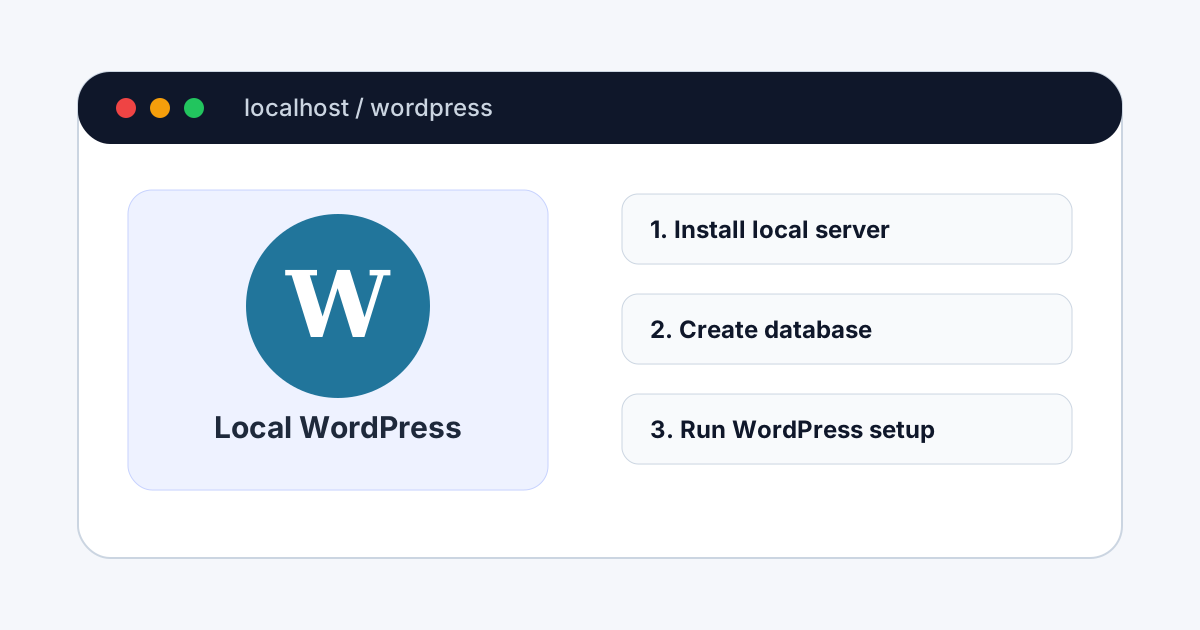
Learn how to install WordPress on localhost with LocalWP or XAMPP, create a local database, run the installer, fix common errors, and prepare your site for staging.
Fix the WordPress allowed memory size exhausted fatal error with safe wp-config.php, PHP, hosting, plugin, theme, WooCommerce, and log-based troubleshooting steps.
Learn what the WordPress .htaccess file does, safe rules to use, common errors, redirects, security tips, and when not to edit it.
Fix a slow WordPress admin dashboard with practical checks for plugins, admin-ajax, WP-Cron, database bloat, hosting, cache, and WooCommerce.
Beginner-friendly guide to improve WordPress Core Web Vitals. Fix LCP, INP, and CLS with practical speed, image, cache, and layout steps.
Stop the WordPress login redirect loop with safe fixes for cookies, site URLs, plugins, SSL, .htaccess, cache, and wp-config issues.
Compare classic, block, and hybrid WordPress themes in 2026. Learn which theme type fits blogs, business sites, stores, and custom builds.
Decide when WordPress should move from WP-Cron to real server cron, test missed schedules, and migrate without breaking plugin jobs.
Audit WordPress security headers before launch, including CSP, HSTS, X-Frame-Options, referrer policy, permissions policy, and rollback checks.
Decide whether to disable WordPress XML-RPC, understand Jetpack and mobile app tradeoffs, and block brute-force amplification safely.
Harden WordPress with server rules, wp-config constants, XML-RPC decisions, security headers, salt rotation, and rollback testing.
Compare Apache and Nginx for WordPress hosting, including .htaccess behavior, server blocks, caching, redirects, and deployment testing.
Clean WordPress revisions, expired transients, spam comments, orphaned metadata, and unused terms with backup-first SQL maintenance.
Write a WordPress robots.txt file that protects admin paths without blocking assets, sitemaps, or legitimate search crawlers.
Add JSON-LD schema to WordPress pages honestly, validate structured data, and connect markup to visible page content.
Plan WordPress custom post types with clean slugs, REST support, templates, taxonomies, queries, meta boxes, and safe rewrite flushing.
Rotate WordPress security salts and authentication keys safely, force session logout, and know when a salt change is worth the disruption.
No guides match your search.